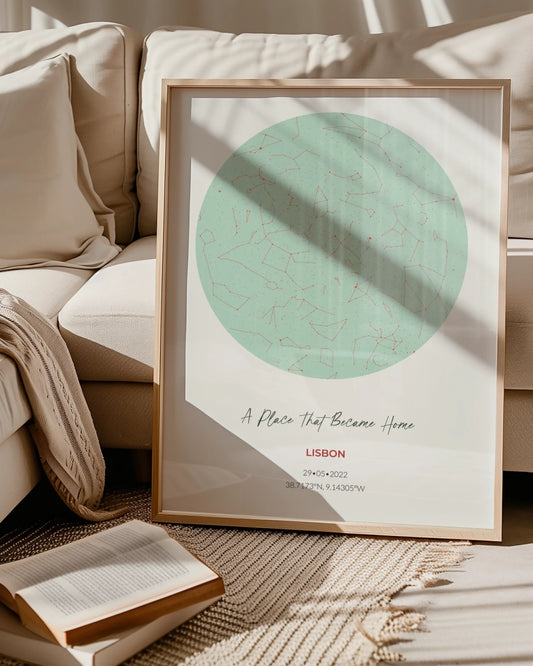

The Role of Previews in Customization for Wall Art Buyers
WallfullyTL;DR:
- Previews help customers visualize customized wall art, increasing confidence and reducing costly mistakes before purchase.
- High-quality, real-time previews like 3D renderings and room mockups significantly boost conversion rates and lower return rates.
Previews turn an abstract custom order into something you can actually evaluate before spending money. For personalized wall art, that shift from imagination to visible proof is the difference between a confident purchase and a costly mistake. Stores using 3D visualization for custom products saw up to 40% higher conversion rates, and research by Soukupova & Bachmann confirms that visual representation functions as a direct proxy for perceived quality when shoppers cannot touch a product. Wallfully builds guided previews into every order so you can see your finished print before it goes to press.
Table of Contents
- What preview formats do you actually encounter when customizing wall art?
- Why previews matter: conversion, returns, and the psychology behind them
- What does a high-quality wall art preview actually show you?
- How to use previews step by step before you finalize your order
- Where previews fall short and what red flags to watch for
- How the CvSS workflow makes previewing easier
- Key Takeaways
- The preview process is more than a safety net
- See your design before you commit to it
- Useful sources
What preview formats do you actually encounter when customizing wall art?
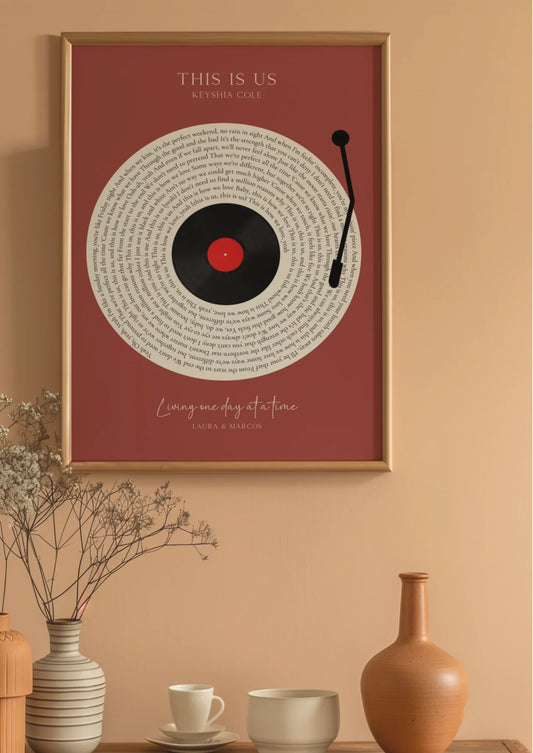
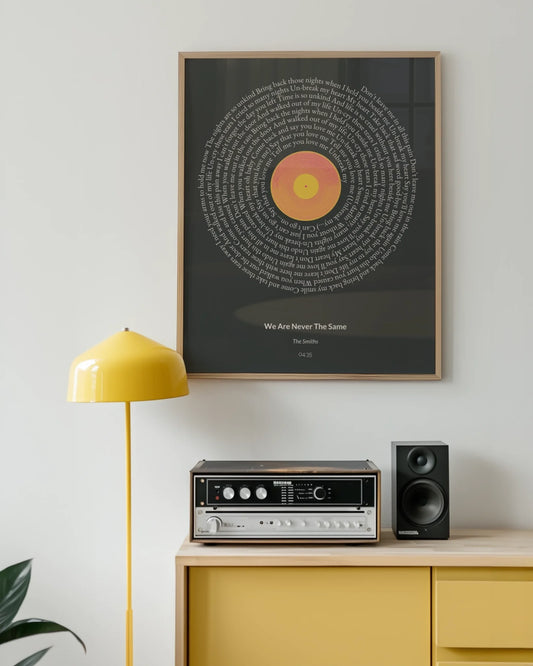
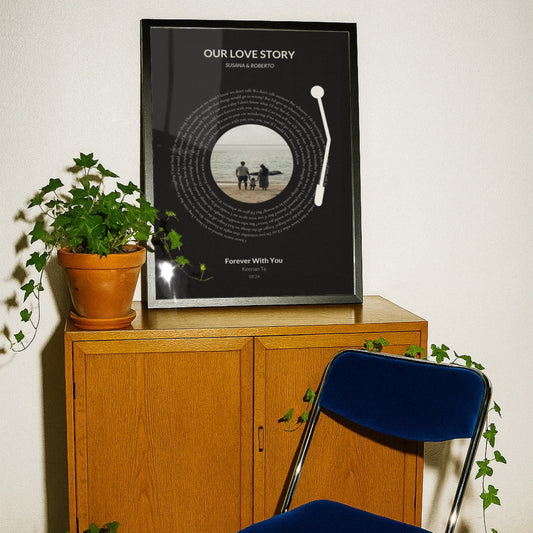
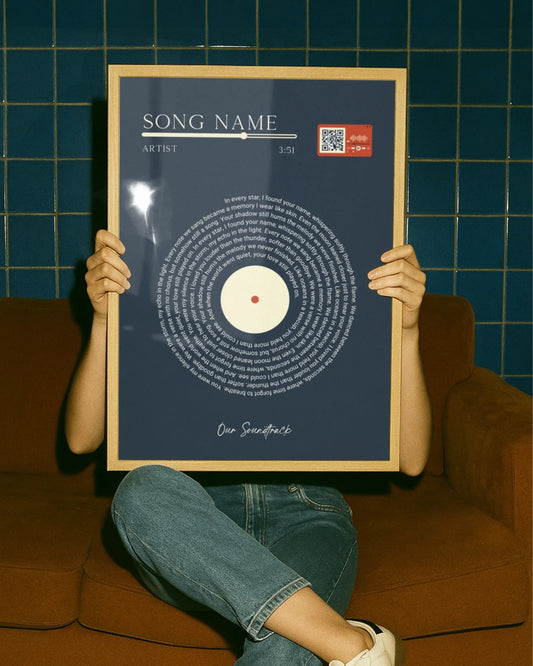
A preview is an on-page visual that updates to reflect your customization choices in real time: the text you type, the photo you upload, the frame you select. That definition sounds simple, but the format matters a lot depending on what question you need answered.
- High-res 2D mockup: A flat, photorealistic render of your finished print. Best for checking color accuracy, text placement, and layout.
- Live 2D preview: Updates instantly as you type names, dates, or locations. Answers “does my text fit?” without guessing.
- 3D rendering: Shows depth, shadow, and frame profile. Useful for framed pieces where the edge finish matters.
- AR room view / room-context mockup: Places the print on a simulated wall in a room setting. The only format that reliably answers “will this look right above my couch?”
A 2D mockup tells you what the print looks like. An AR room placement tells you whether it fits your space. Use both when they are available. Good real-time preview tools place the preview close to the customization controls and update without a page reload, which keeps the decision process moving.
Why previews matter: conversion, returns, and the psychology behind them
The imagination gap is the primary driver of cart abandonment for custom products. Buyers stall when they cannot picture the finished item. Live previews close that gap immediately.
Up to 40% higher conversion for stores using 3D visualization for custom products, and AR placement reduces return rates by up to 25% by resolving spatial fit uncertainty.
| Metric | Effect | Source |
|---|---|---|
| Conversion uplift | Up to 40% for stores with 3D visualization | Shopify data |
| Return rate reduction | Up to 25% with AR room placement | Shopify/visual config reporting |
| Willingness to pay | Higher when the design process is enjoyable | Franke et al., 2010 |
The psychology behind these numbers: visual representation substitutes for touch online. When you cannot hold a print, the preview becomes your primary quality signal. A sharp, accurate preview triggers the same confidence a physical sample would. Previews and reviews also work together rather than competing. Choi et al. (2019) found that previews validate the specific design you built while reviews provide broader social proof about product quality and service. Neither replaces the other. For personalized gifts especially, the preview is the only way to validate your exact combination of names, dates, and layout.

What does a high-quality wall art preview actually show you?
Not all previews are equal. Here is what a genuinely useful one includes:
- True-to-scale dimensions with a size indicator or ruler overlay so you can compare against your wall measurements.
- Accurate aspect ratio and crop preview showing exactly how your image fills the print area. Wrong aspect ratio means unexpected cropping at the edges.
- Color accuracy notes or a color profile indicator. Monitor colors and printed colors differ; a good preview flags this.
- Material and texture close-up so you can see paper weight, canvas grain, or matte finish before ordering.
- Resolution or print-quality zoom that lets you inspect fine detail at the intended print size. If text or a photo looks pixelated at 100% zoom, it will print that way.
- Frame simulation with depth showing how the frame profile looks from the front and side.
- Room-context placement for any piece larger than 16×20 inches, where scale judgment from a flat mockup alone is unreliable.
- Price updates for add-ons so selecting a frame or larger size immediately shows the new total.
Pro Tip: Measure your wall space with a tape measure before opening the customization tool. Enter those exact dimensions, then compare the preview’s size indicator against a physical ruler held up to your screen. It takes 30 seconds and catches sizing mistakes before they become return requests.
How to use previews step by step before you finalize your order
A structured approach catches mistakes that a quick glance misses. Follow this sequence on any custom print product page:
- Measure your wall and enter the target size before customizing anything else.
- Check the aspect ratio by uploading your photo and confirming the crop preview matches what you want visible.
- View the preview at the intended print size using the zoom or size-toggle feature if available.
- Inspect color and texture at 100% zoom. Look for pixelation in photos and confirm text is legible.
- Select your frame and confirm the price update reflects the add-on correctly.
- Use the AR room view if available, or switch to the room-context mockup for any piece over 16 inches wide.
- Request a manual proof if the site offers one and your design is complex or uses a low-resolution photo.
Pro Tip: Screenshot the final preview with your customization settings visible and save it alongside your order confirmation number. If you ever need to contact support about a reprint or a color discrepancy, that screenshot is the fastest way to resolve it.
Where previews fall short and what red flags to watch for
Previews are not infallible. Knowing their limits protects you.
- Low-resolution placeholder images that look fine on screen but print soft. If you cannot zoom to 100% and see sharp detail, the preview is cosmetic, not diagnostic.
- Inaccurate color rendering because monitors display in RGB and printers output in CMYK. A preview without a color-profile note may look more saturated than the final print.
- Missing frame depth or shadow on 2D mockups, which makes it hard to judge how a thick gallery-wrap frame will look on the wall.
- No scale indicator for large pieces. A 36×48-inch print looks manageable on a product page thumbnail and enormous on an actual wall.
- Price not updating when you add a frame or upgrade the size. That is a UX failure worth flagging before checkout.
- Previews disconnected from production. Previews linked directly to print-ready files reduce misprints; cosmetic mockups that do not feed into the production workflow may not reflect the exact output.
Requesting a manual proof adds production time, sometimes one to two business days. That trade-off is worth it for large, complex, or high-value pieces.
How the CvSS workflow makes previewing easier
Customization via Starting Solutions (CvSS) means you begin with a pre-designed template and refine it rather than building from a blank canvas. CvSS research shows customers strongly prefer this approach because each edit is small and the preview confirms it immediately, reducing cognitive load.
- Choose a template that already matches your general intent: layout, color palette, and text structure.
- Refine with the live preview by swapping names, dates, or photos one element at a time. Each change is visible instantly.
- Confirm the proof before checkout, either via the on-page preview or a manual proof request.
The practical upside: you spend less time second-guessing and more time making small, confident adjustments. Starting from scratch multiplies decisions; starting from a template with a live preview reduces them to a handful of meaningful ones. For home decor previews, this workflow also makes it easier to match an existing room’s color scheme because you can swap palette options and see the result side by side.
Key Takeaways
Previews are the single most effective tool for reducing purchase uncertainty in personalized wall art, and buyers who use them systematically make fewer returns and report higher satisfaction.

| Point | Details |
|---|---|
| Check scale before anything else | Measure your wall, enter the size, and compare the preview’s ruler to your actual space. |
| Aspect ratio errors are the most common mistake | Always confirm the crop preview before finalizing a photo-based print. |
| 40% conversion uplift from 3D visualization | Stores using 3D previews for custom products saw up to 40% higher conversion rates. |
| Previews and reviews complement each other | Previews validate your specific design; reviews confirm overall product and service quality. |
| Wallfully’s guided previews | Wallfully integrates live previews, frame simulation, and a satisfaction guarantee into every order. |
The preview process is more than a safety net
Most buyers treat the preview as a final check. That undersells it. The preview is where the design actually gets made. Every adjustment you make, swapping a font, resizing a name, testing a frame color, is a real creative decision with an immediate visual consequence. That feedback loop is what makes the process feel satisfying rather than stressful.
What I find underappreciated is the connection between preview quality and perceived product quality. A blurry, static mockup does not just fail to inform; it actively undermines confidence in the product itself, even when the product is excellent. Buyers read the preview as a signal of the brand’s care and capability. A sharp, interactive, true-to-scale preview communicates that the company takes the finished product seriously. That is a trust signal before a single print ships.
The CvSS approach matters here too. Giving buyers a well-designed starting template and a live preview removes the paralysis of the blank canvas without removing creative control. The result is a buyer who feels competent, not overwhelmed, and that feeling carries over into how they value the finished piece.
See your design before you commit to it
Wallfully’s customization tool gives you a live preview that updates as you type names, dates, and locations, so you see the finished print before it goes to press. Frame simulation, print-quality zoom, and room-context mockups are built into the process. Every order ships free with a satisfaction guarantee, and the entire checkout runs over SSL encryption. If your design is complex or uses a photo you want to verify at full resolution, the support team can walk you through a proof step before production begins. Start your personalized wall art order at Wallfully and see exactly what you are getting.
Useful sources
- Shopify/visual configuration: 40% conversion uplift and 25% AR return reduction — industry data on 3D visualization and AR effects on custom product purchases.
- Soukupova & Bachmann (2025): visual representation as a quality proxy — academic finding on how previews substitute for touch in online shopping.
- Choi et al. (2019): previews and reviews as complementary signals — research on how design previews and customer reviews serve different roles in purchase decisions.
- Franke, Schreier & Kaiser (2010): the “I designed it myself” effect — study on process enjoyment and willingness to pay for self-designed products.
- CvSS architecture (Journal of Marketing Research) — research on template-first customization and its effect on buyer confidence.
- Live preview vs. static customizer analysis — practitioner comparison of preview types and their production and conversion implications.
- Real-time preview UX best practices — guidance on preview placement, mobile optimization, and add-on labeling.